
A guide people actually follow
Capture the work, let AI write the first version and turn it into a run. Guide, process and demo are one thing, so none of them goes stale on its own.
- so knowledge does not leave with a person
- so a new person gets it right without asking
- so the guide is in use, not in a folder
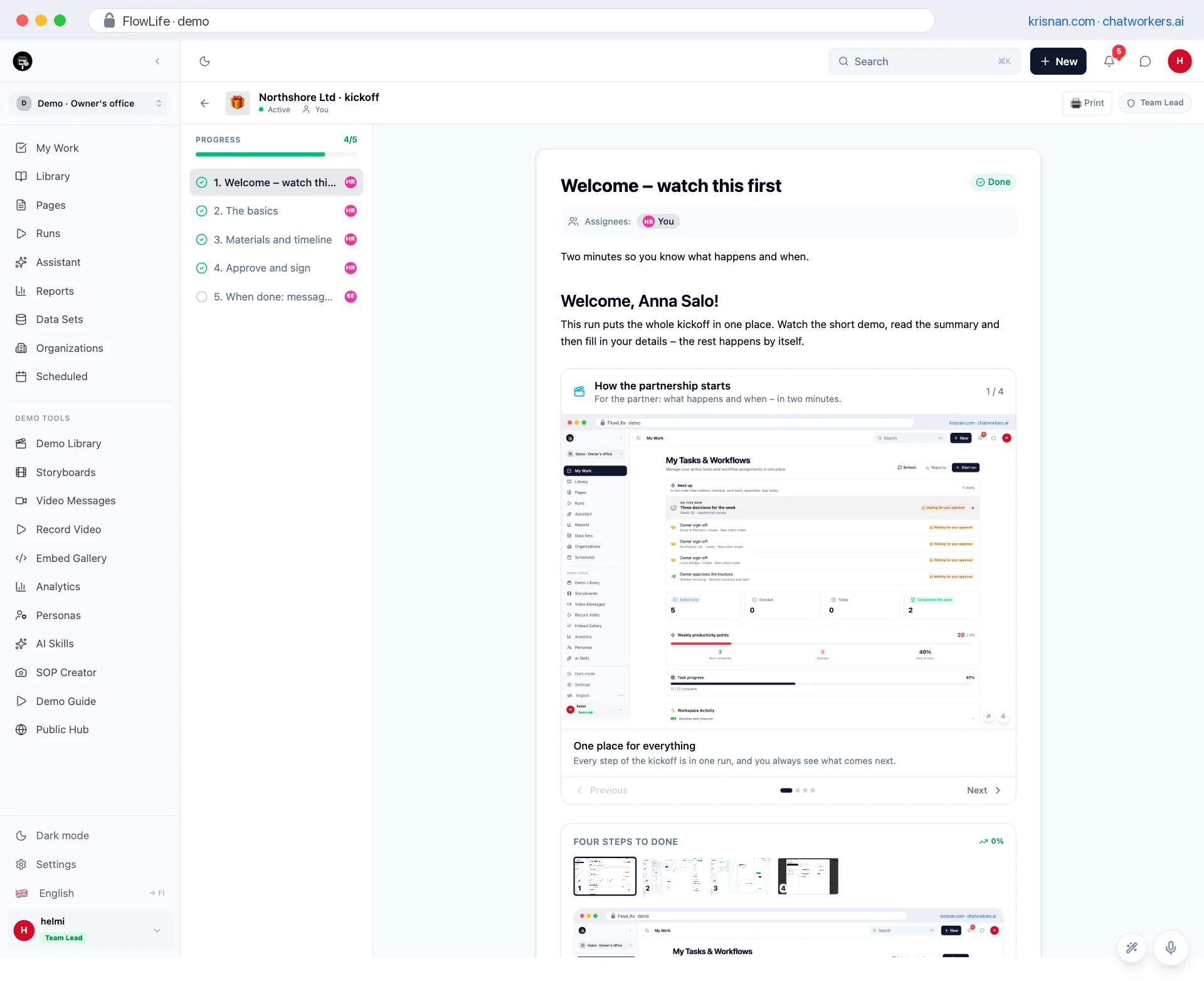
First step of the run: watch this first
so the client knows at once what happens and when
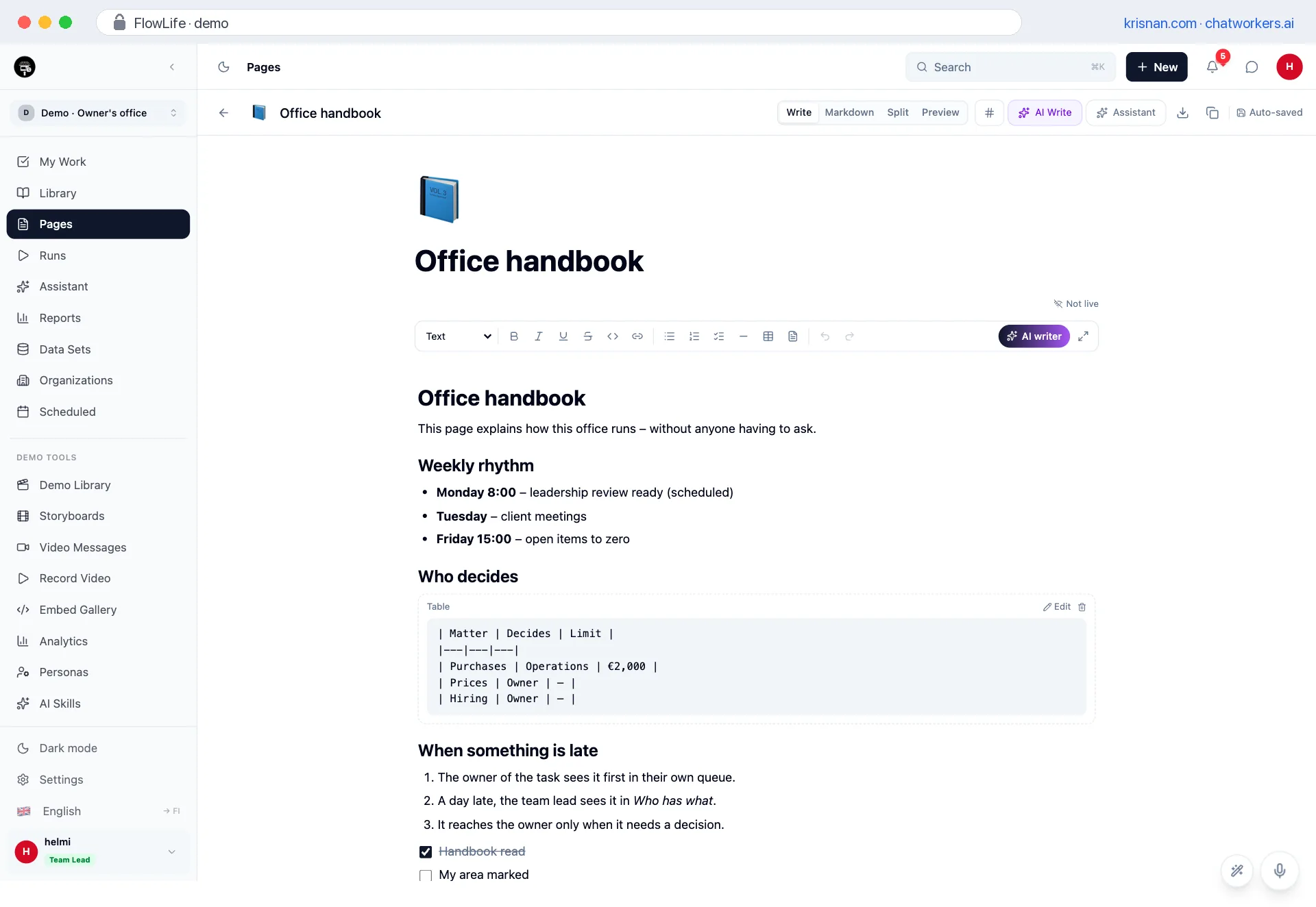
The handbook as a page
so a new person finds the answer without asking anyone
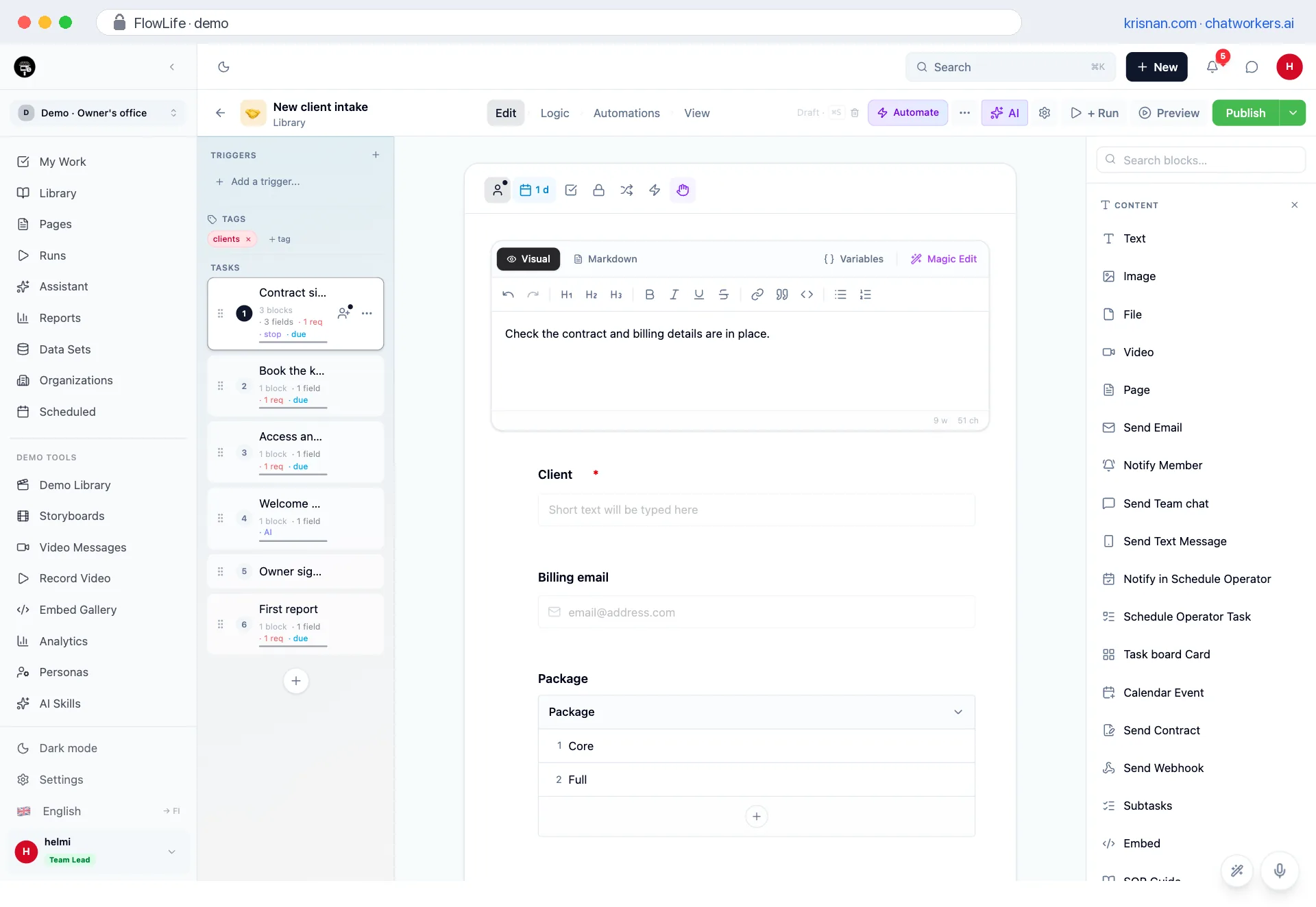
A workflow with stops and due dates
so owners, order and timing are set before the first run
About 20 seconds each, spoken. Sound starts when you press play.
A guide is not done when it is written
It is done when people follow it. That is why one place captures, drafts, answers, runs, shows and verifies.
Capture
Record the work or bring in images and documents. Numbered steps come out.
so the guide is made while the work is done
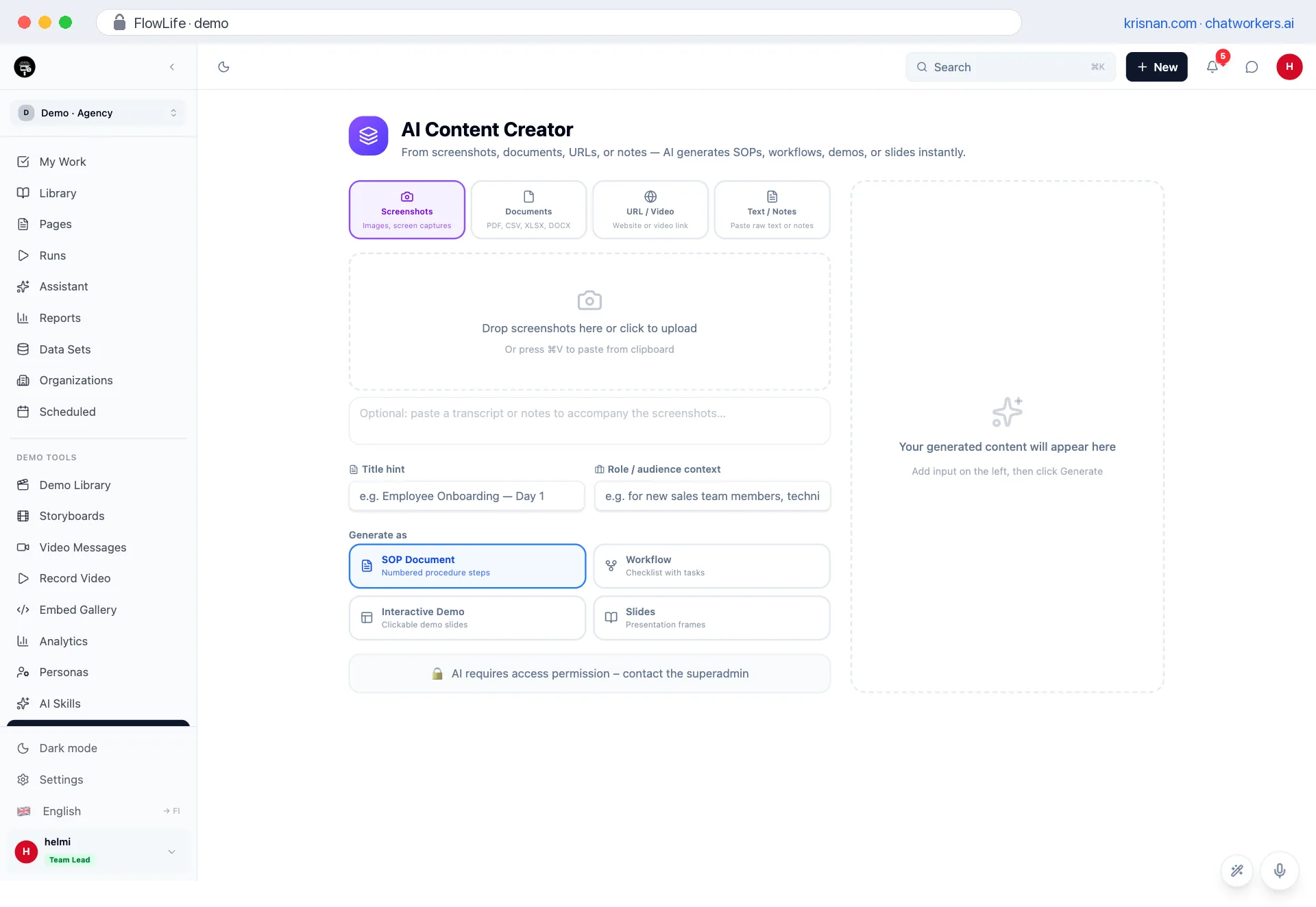
Your first workflow does not start on a blank page
Whether the process is in someone's head, a spreadsheet or a PDF, it becomes a workflow you can run. Our teams do this for you, and the same road is open to your own people.
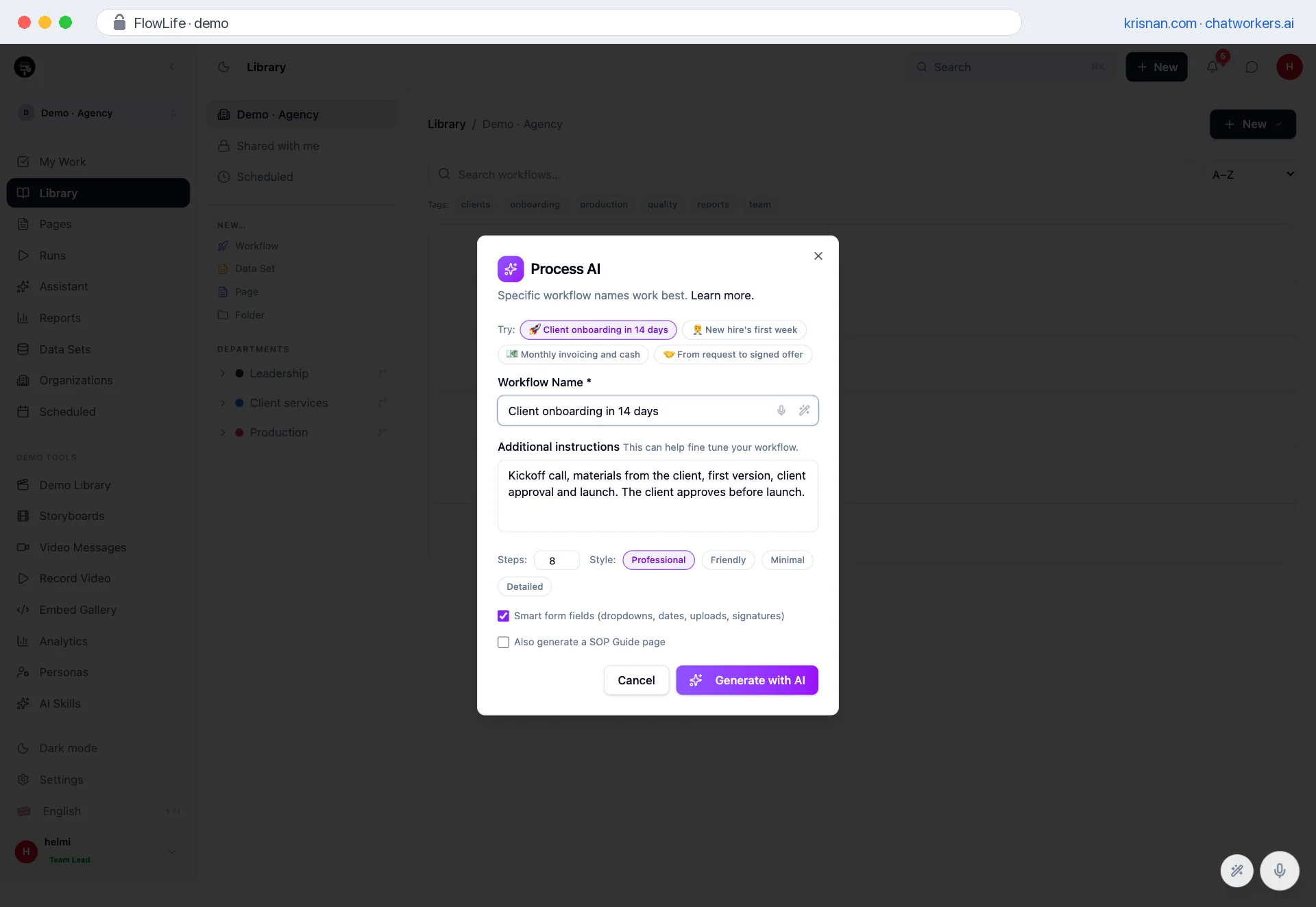
Name the work and add a hint if you like. AI makes the steps, owners and form fields, and you shape them into yours.
- You choose the number of steps and the style
- Smart fields: dropdowns, dates, uploads and signatures
- An SOP guide at the same time: standard, screenshot ideas, demo guide or bug report
Four tools or one place
A guide tool writes, a checklist tool runs and a demo tool shows. All good, but the work moves between them by hand. In FlowLife they are the same thing.
| Job | Guide tool | Checklist tool | Demo tool | FlowLife |
|---|---|---|---|---|
| Work captured into a guide | ||||
| A process with AI from text or a document | ||||
| Runs: owners, due dates, stops, approvals | ||||
| An assistant answers from your own guides | ||||
| Acknowledgment: who has read it and has the guide changed since | ||||
| Interactive demo: hotspots, chapters, paths | ||||
| Narration and translations | ||||
| Form, signature and contract in the same run | ||||
| A demo at exactly the step that needs it | ||||
| Calendar, tasks and messages by themselves | ||||
| One source: demo, video, article, subtitles, audio | ||||
| Our teams build it for you |
The comparison shows what is typical for each kind of tool, not a verdict on one product: ✓ yes, – partly, × no.
When FlowLife is not the right choice
- You need a code-level sandbox of your product
- You need a training platform with tests and grades
- You only want a quick guide for one click path
What does explaining cost?
Questions, onboarding, guiding clients
The default 50 % is an estimate – change it to yours
Show the formulas
- Repeated explanations15 × 12 min × 4.33 × €90€1,169
- Onboarding4 × 16 h ÷ 12 × €90€480
What should you show once instead of explaining a hundred times?
An estimate – not a promise.
Together at the same time
See each other's cursors, and the text survives even if the page refreshes mid-sentence.
AI writer and page assistant
Write, condense or edit right beside the page.
Dictation
Speak the text into the editor.
Part of the workflow
A page opens inside the task.
Share with a password
A password and an expiry date on a guide link.
Markdown export
Your content does not stay locked in.
36 block types
Text, image, video, file, embed, guide, demo and action blocks in one task.
Assignees
A task goes to a named person and the notification goes out with it.
Task permissions
Sensitive content is shown only to the roles it belongs to.
Revision history
Go back to an earlier version when a change did not work out.
Your look
Icon, cover image and background for a workflow.
Comments in the run
The conversation stays on the task it is about.
Conditional logic
Tasks show or hide based on the answers.
Approval tasks
Approve or send back with a note – the work does not move on before a decision.
Stop tasks
The next steps open only once this one is checked off.
Dynamic due dates
Due dates calculated from the run start or another task.
Role assignment
To the least busy, to a department or by a form field.
Next-up queue
Everyone has their own queue in the order that matters: overdue, sent back, approvals, today.
Who has what
Leadership sees open, overdue and done this week, person by person.
Send back with a note
The approver sends work back to the maker, and the previous step reopens for fixing.
Which costs more: the machine or another year of the same?
In the strategy call we go through your numbers, show the machine with your process and give you the price. 45 minutes, no slide deck.